
Transcript-Only Qual: Turn Interview Recordings Into Coded Insights
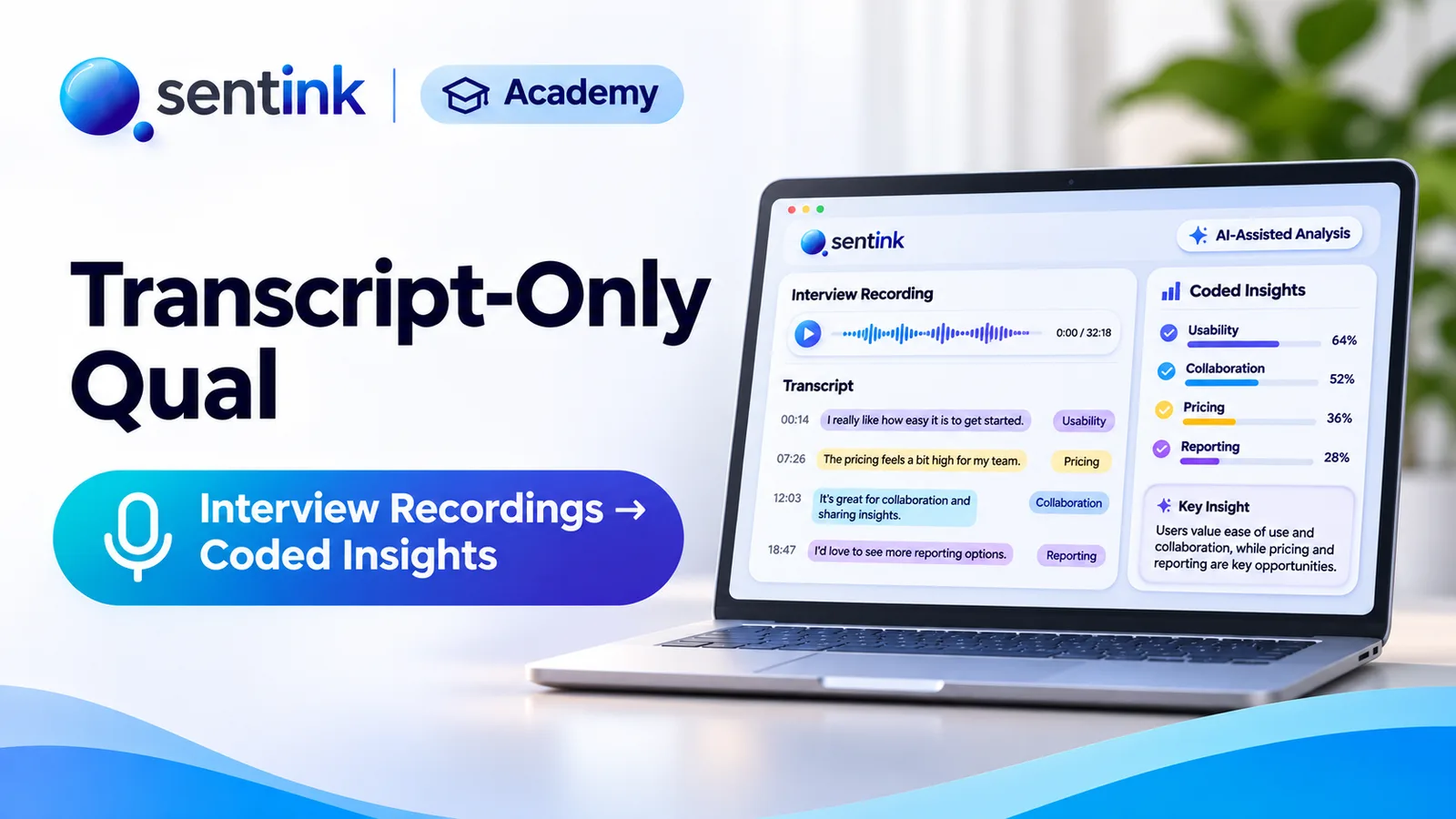
Upload interview or focus group recordings to Sentink and get speaker-separated transcripts, translated downloads, AI reports and coded themes.
TL;DR
Sentink's Transcript with Report studies take uploaded audio or video (up to 2 GB; the first 3 hours are transcribed) and produce a speaker-separated transcript, cleaned up by AI without rewording. You can download it as Word, CSV or TXT, translated into Arabic or English, and get an AI insight report, open-ended codes and Ask Adam answers.
Key takeaways
- Upload MP4, WebM, MOV, MP3, WAV, M4A and similar files up to 2 GB; the first 3 hours are transcribed.
- Recognize speakers separates interviewer and participant into clear turns.
- AI enhancement removes duplicates and fixes mixed scripts without paraphrasing, and can be undone.
- Download transcripts as Word, CSV or TXT, with or without timestamps, translated into Arabic or English.
- AI insight reports cover themes, findings, tensions and quotes in 11 languages, exportable to PDF and PowerPoint (Pro+).
- Open-ended analysis groups transcript lines under codes you can explore and export.
Many research teams already have the interviews. They ran them in person, on Zoom or Teams, by phone, or in a viewing facility, and now have a folder of recordings that nobody has time to transcribe, clean up and analyse.
Sentink's Transcript with Report studies are built for exactly this. Upload a recording and Sentink produces a clean, speaker-separated transcript, an AI insight report, and a set of themes you can explore and export. You don't need to run the session in Sentink.
What Is a Transcript-Only Study?
When you create a qualitative project in Sentink, you choose how to run it:
- Full interview with Report: run the interview or focus group live in Sentink's video room
- Transcript with Report: upload a recording of a session held anywhere else
Transcript-only studies use the same analysis tools as live sessions: transcript enhancement, translated downloads, AI reports and Ask Adam. The only difference is where the conversation happened.
Like live studies, they are organised as projects containing sessions, so ten interviews from one study sit together and feed one project report.
Step 1: Upload Your Recording
Sentink accepts the formats research teams usually have:
| Type | Formats |
|---|---|
| Video | MP4, WebM, MOV, M4V |
| Audio | MP3, WAV, M4A, AAC, OGG, FLAC |
- Files can be up to 2 GB
- The first 3 hours of audio are transcribed, which covers almost every interview and most focus groups
Audio is extracted from video automatically, so you can upload a Zoom or Teams recording as it is.
Step 2: Get a Transcript With Speaker Turns
Sentink transcribes the recording with its AI model and then makes it readable.
Recognise speakers
Recognize speakers separates the interviewer from the participant, so the transcript reads as a conversation rather than a wall of text.
Enhance transcript with AI
Raw machine transcripts are messy: the same speaker split across many short lines, repeated phrases, and words in the wrong alphabet when people switch languages. Enhance transcript with AI fixes this without rewriting what anyone said:
- Joins consecutive lines from the same speaker into proper speaker turns
- Removes duplicated and repeated lines
- Fixes mixed-up scripts, for example Arabic words written in Latin letters by mistake
- Removes meaningless fragments
Nothing is paraphrased or summarised, so quotes stay accurate. If you prefer the raw version, Restore original transcript brings it back.
Edit by hand
Use Edit transcript to correct names, fix a misheard word, adjust timecodes, add or delete lines, or drag lines into the right order.
Step 3: Download Transcripts, Translated if You Need
Download any transcript as:
- Word: for reading, sharing and highlighting
- CSV: for spreadsheets and coding tools
- TXT: for plain-text workflows
Each format is available with or without timestamps.
You can also download the transcript translated into Arabic or English. This is useful when interviews are in Arabic and stakeholders read English, or the other way round.
Step 4: Turn Transcripts Into Insights
AI insight report
Generate an AI insight report for one session or for the whole project. It covers:
- Context and summary
- Themes and findings
- Tensions and contradictions
- Implications and recommendations
- Supporting quotes
The report can be written in any of 11 languages: English, Arabic, Indonesian, Malay, French, German, Spanish, Portuguese, Turkish, Italian and Dutch. It exports to PDF, and to PowerPoint on the Pro plan and above.
Open-ended analysis
The Open-ended analysis tab groups what participants said under themes and codes, starting from the themes in your AI report. Click a code to read the matching transcript lines, add your own codes, and export the codebook as CSV with counts.
Ask Adam
Ask Adam lets you question your interviews in plain language, for example:
- "What did participants say about price?"
- "Which concerns came up in more than one interview?"
- "How did first-time buyers describe the onboarding?"
Ask about the whole project or one session. Answers are grounded in the transcripts.
Who Uses Transcript-Only Studies?
| Team | Typical use |
|---|---|
| Agencies | Analyse interviews run by partner moderators or in viewing facilities |
| UX researchers | Upload usability sessions recorded in Zoom or Teams |
| CX and product teams | Make sense of customer calls and feedback interviews |
| NGOs and government | Analyse community consultations recorded in the field |
| Academic researchers | Transcribe and code interview studies |
Tips for the Best Results
- Record clean audio. Use a decent microphone and avoid speakerphones in noisy rooms.
- Upload one session per file, so each interview keeps its own transcript and analysis.
- Group related interviews in one project to get a project-wide report.
- Run Recognize speakers before enhancing, so turns are attributed correctly.
- Check names and key terms with Edit transcript before sharing quotes.
Plans and Limits
Transcript-only studies are available on every Sentink cloud plan except Student plans. They share a monthly session allowance with live interviews, and extra sessions can be added from your account balance. Deleted studies go to Trash, where you can restore them or delete them permanently, including their recordings.
Getting Started
- Create a qualitative project and choose Transcript with Report
- Upload your audio or video recording
- Run Recognize speakers and Enhance transcript with AI
- Download the transcript, translated if needed
- Generate the AI insight report, explore Open-ended analysis and Ask Adam
FAQ
Can I analyse interviews I recorded in Zoom or Teams?
Yes. Create a Transcript with Report study and upload the recording. Audio is extracted from video automatically.
How long can a recording be?
Files can be up to 2 GB, and the first 3 hours of audio are transcribed.
Does AI enhancement change what people said?
No. It joins lines into speaker turns, removes duplicates and meaningless fragments, and fixes mixed-up scripts, without paraphrasing. You can restore the original at any time.
Which languages can I download translated transcripts in?
Transcripts can be downloaded translated into Arabic or English. AI reports can be written in 11 languages.
Which plans include transcript-only studies?
Every Sentink cloud plan except Student plans, sharing the monthly session allowance with live interviews.
Transparent Cloud plans and private deployment—pick what fits your team.
Get Started FreePeople also read
Picked from the same category and shared topics.
Run online focus groups and interviews in the browser, or upload recordings, and get AI-enhanced transcripts and insight reports in Sentink.
Run telephone surveys with Sentink CATI: upload samples, assign interviewers, manage call statuses, retries, callbacks and quotas, and monitor productivity.
Collect surveys offline on Android with Sentink Field: native question screens, signatures, photos, GPS checks, voice recording and sync.
Run online diary studies in Sentink: scheduled and event-based tasks, photo, video and voice entries, follow-up questions and AI insights.
Run private research communities in Sentink: nine discussion formats, five visibility modes, groups, moderation tools and in-community diaries.
Run home use tests in Sentink with blinded product codes, Williams Latin square rotation, gated tasks and per-product results with order effects.