
Design survey
Describe or upload a brief—AI drafts a ready-to-use survey.
Create professional surveys or qualitative studies—live interviews or transcript-only uploads—reach participants, analyze results, and generate executive-ready reports—all in one research workspace.
Are you a student?See Student Mode
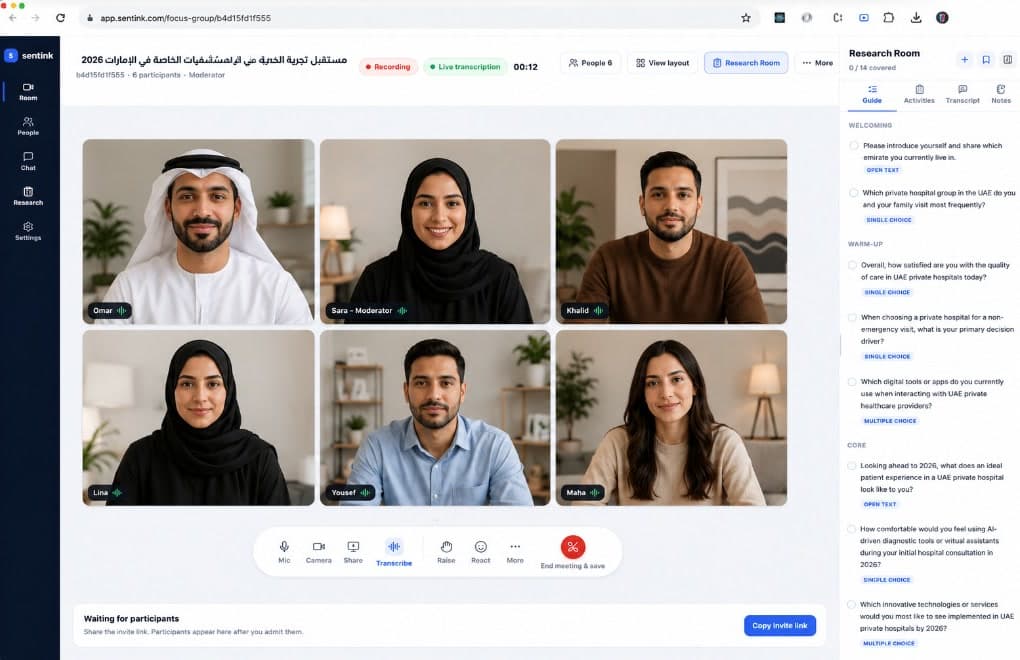


One research workspace
Buy Verified respondents
Quality checked
Trusted by teams across the region










Measure at scale—or hear the conversation. Pick the method that fits the decision.

Smart surveys, live analytics, cross-tabs, and reports that turn numbers into a decision.
Explore quantitative researchLive focus groups, or upload a recording for Sentink AI Model transcription—same coding and insight report.
Explore qualitative researchSame workspace · Same AI · Two methods
Five clear steps: design your survey, distribute it and collect responses—with the option to buy verified sample—clean and layer the data, analyze, then act.
Describe or upload a brief—AI drafts a ready-to-use survey.
No audience of your own? Target country, age, gender, and quotas—buy verified responses in-platform with instant feasibility and per-complete pricing—or share via public link, QR, email, WhatsApp, or embed.
Clean, weight, and segment your data before analysis.
Analyze cross-tabs, sentiment, and AI insights
Turn findings into next steps and ready-to-share briefs.
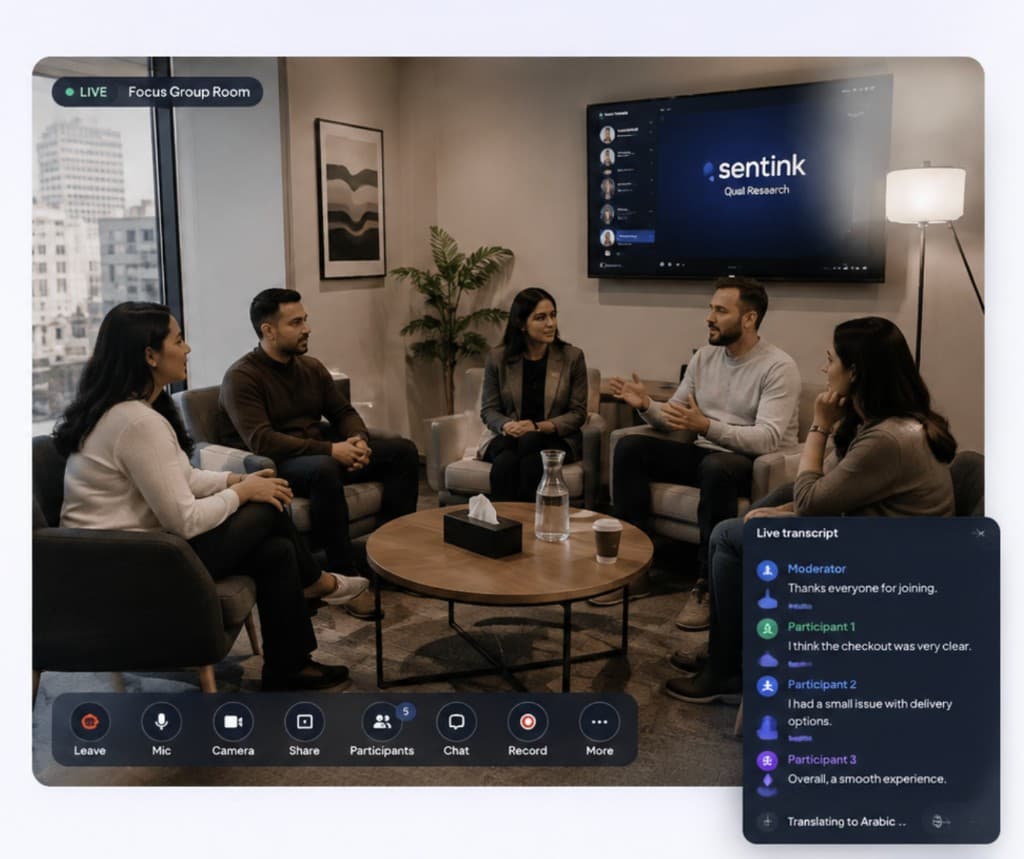
Run a live moderated focus group—or upload a video or audio file. Sentink AI Model transcribes the recording, then you get the same coding studio, Ask Adam, and insight report.
Bring participants together in a secure room with moderator controls, screen sharing, live polls, and private delegate access.
Already recorded the interview? Upload video or audio. Sentink AI Model transcribes it with speaker labels and generates the insight report—no live room required.
Extract open-ended themes from the transcript, edit timecodes, and generate an insight report in eleven languages.
Ordered the way research runs: Design → Distribute & collect (with the option to buy sample) → Clean → Analyze → Act—plus qualitative research (live or transcript only), automated reporting, and your own deployment.
AI Survey Agent
Type·Speak
Generate a customer satisfaction survey for our Berlin and Munich stores—service quality and likelihood to recommend.
Quick clarifiers
Should we limit the pilot to Berlin & Munich, or include all branches?
Pilot in those two cities only.
Describe your survey—Sentink quickly gets your needs, asks clarifying questions if needed, and drafts a tailored survey for you.
Field with Sentink Rewards or buy verified respondents from global marketplace networks you already know—quality sample, feasibility, and fielding built into your survey workflow.

Sentink RewardsOur proprietary respondent panel for targeted research
Make surveys actionable: AI inside your stack, bilingual, integrations that really work.
Analyze surveys and dashboards locally—so data stays private. Plug in your own LLMs and get Arabic-aware, secure insights and chat.
RTL-native UI, bilingual authoring, regional pricing, and enterprise-friendly procurement patterns.
The codebase runs 100% inside your infrastructure: upgrades, access, backups, and full customization—everything under your control.
Cross-tabs, quotas, geo-fencing, quality scoring, and partial-response tooling for serious fieldwork.
Company → workspace → form hierarchy designed for agencies and holding groups managing many brands.
Built-in AI Agent for survey generation, edits, advanced blocks, quotas, languages, and instant quality checks.
Choice tasks and priority lists in surveys—plus qualitative research: live interviews or transcript-only uploads, then coding and AI insight reports.
Field verified sample without leaving the survey: targeting, feasibility, quotas, and per-complete pricing in the same results store.
Real responses from verified panel participants — methodology, sample quality, findings, and platform analysis from independently funded showcase studies.
 ResearchIndependent Sentink Research
The MENA online trading market shows strong interest, but conversion from interest to active trading is hampered by significant friction points in the user journey. Addressing these barriers is critical for growth.
 ResearchIndependent Sentink Research
Patient priorities in UAE private hospitals are bifurcating between deep clinical trust and seamless digital experiences. While doctor expertise remains the cornerstone of care decisions, patients increasingly expect advanced technology and zero wait times. This necessitates a dual strategy for competitive advantage.
 BankingIndependent Sentink Research
Buy Now Pay Later services are deeply integrated into the purchasing journey for a majority of consumers in KSA and UAE, primarily serving as a liquidity management tool.
 ResearchIndependent Sentink Research
The Saudi hospitality market is at an inflection point, with domestic travelers revealing a clear preference for local brands and novel hotel concepts. This signals a strategic imperative to move beyond traditional offerings and cultivate experiences rooted in national identity and modern guest expectations.
 ResearchIndependent Sentink Research
The core drivers for smartphone purchases are fundamentally shifting. Consumers are prioritizing fundamental attributes like reliability and price over perceived brand prestige or advanced features. This indicates a market maturation where basic expectations must be met before other factors come into play.
 BankingIndependent Sentink Research
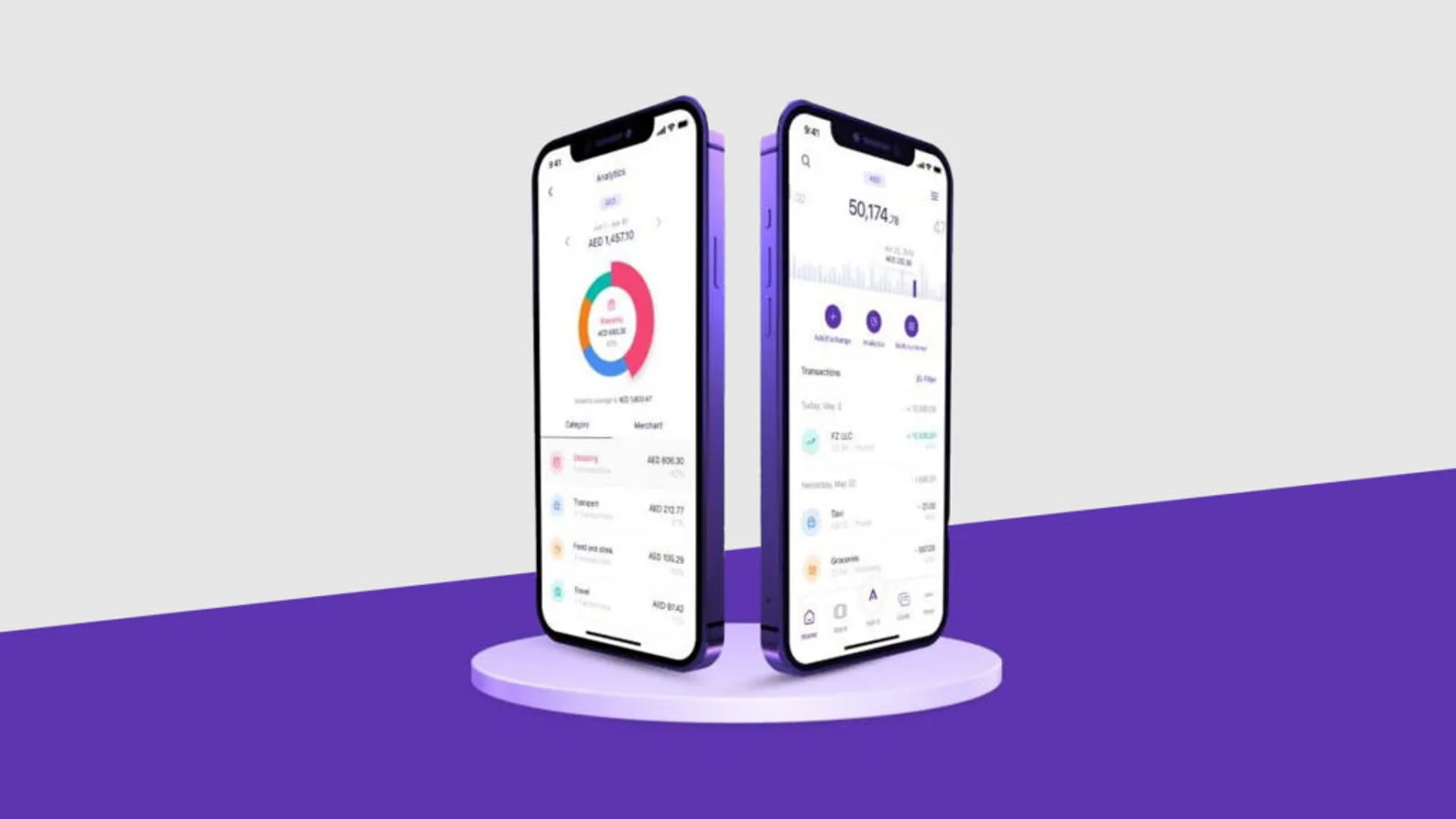
UAE consumers are overwhelmingly digital in their banking preferences, prioritizing seamless app experiences and readily switching for better digital offerings. While trust in security is generally high, a notable minority expresses concern, and customer support satisfaction varies.
 ResearchIndependent Sentink Research
Consumer travel intent for the summer is robust, with a clear emphasis on value and safety. While online booking dominates, a significant portion of the market still relies on traditional agencies. Preferences for destinations and activities are diverse, indicating a need for segmented offerings.
 AutomotiveIndependent Sentink Research
The Middle East market shows strong latent demand for EVs, with a significant portion of the population already owning electrified vehicles and expressing keen interest in future adoption. Despite this momentum, price remains the most substantial hurdle for broader market penetration.
Directional overview for comparable capabilities. Plans, regions, and roadmaps diverge—we highlight where bilingual product depth, GCC-friendly workflows, regional pricing display, bring-your-own models, qualitative focus groups, or private/on-prem deployments matter.
How to read the table
| Capability |  |  |  |  |  |
|---|---|---|---|---|---|
| 01AI capabilities | |||||
| AI survey generation & iterative editing in the same builder | |||||
| AI Quality Check on branching, skip logic, and visibility before publish | |||||
| Advanced sentiment (per open end, gender/age splits, response-level mood), plus auto-generated narrative reports | |||||
| Conversational chat with data in Arabic and English (Ask Adam) | |||||
| 02Survey design | |||||
| Broad question library—13+ types, 50+ templates, visual builder, branching, piping, and validation | |||||
| Conjoint — choice tasks with in-product trade-off and preference analysis | |||||
| MaxDiff — most and least important items with scores and diagnostics | |||||
| Qualitative research — live interview or transcript-only upload, discussion guide, multilingual transcript, delegates, AI report | |||||
| Image hotspot questions—click a point on a photo; response view shows the marker | |||||
| 03Data collection | |||||
| Collecting offline: Android field app that downloads surveys, collects responses with no signal (logic, MaxDiff, conjoint), and syncs with one tap | |||||
| 04Analytics & research | |||||
| Executive reporting — AI briefs and narrative board-ready reports | |||||
| Visual Insights heatmap of all hotspot clicks on the original image | |||||
| Smart Data Layers—quality overlays, weighting, and segment views on one response store | |||||
| Advanced cross-tabulation—multi-banner layouts, scale summaries, weighted cuts, deck-ready Excel | |||||
| 05Privacy & AI | |||||
| AI analysis on local / private models for regulated and confidential data | |||||
| Bring your own LLM (OpenAI, Anthropic, Gemini, Ollama, compatible APIs) | |||||
| 06Language & region | |||||
| Native Arabic RTL product plus multilingual surveys | |||||
| USD pricing and regional display options | |||||
| 07Qualitative research | |||||
| Live multilingual session transcripts and captions during focus groups | |||||
| Private delegate / observer links for clients and stakeholders | |||||
| Transcript with report — upload video or audio, transcribe with Sentink AI Model, then code and generate the insight report | |||||
| Voice recording for survey sessions during in-person or live interviews (consent-gated) | |||||
| 08Sample & audience | |||||
| Buy verified respondents in-platform—targeting, feasibility, quotas, and per-complete pricing | |||||
| 09Integrations | |||||
| n8n-native automation plus 500+ downstream apps | |||||
| MCP for AI assistants to query surveys and results | |||||
| Power BI and spreadsheet exports with API keys | |||||
| 10Enterprise | |||||
| Dedicated instance on your servers, full customization, custom SMTP | |||||
| Demographic quotas, geo restrictions, and audit trails | |||||
Swipe sideways to see every platform column.
Marks are illustrative, not audited scores. Full (✓): strong parity for most teams against typical marketed enterprise/research capabilities. Partial (–): varies by tier, differs in UX/workflow, or needs add-ons/integration. Missing (✗): not widely positioned on that vendor path vs this row—or not at all. Qualtrics, QuestionPro, and others invest heavily where your RFP should win; validate every cell with live trials and procurement.
Encryption, residency, and local analytics for defensible, confidential programs—suitable for enterprise and government.
Security & infrastructure overview
AES-256 at rest · TLS 1.3 in transit
Sentink Dedicated Servers, EU options, custom regions
Runs inside your environment—no external APIs
Plug in your LLM provider when policy or roadmap requires
Data and user rights
Workspaces never share data paths
Published and available for review
Dedicated servers (Germany) · resilient design
Start fast in our regional cloud, or run a private instance on your own servers when residency, branding, and local AI are non-negotiable.
With transparent monthly pricing and a Free Plan—no credit card required. Built for marketing, HR, CX, research, and product teams who want to start fast—no infrastructure to run.
A dedicated Sentink instance deployed inside your infrastructure or VPC. Built for government, banking, healthcare, and other regulated industries worldwide.
Start in Cloud and move to Private when you are ready. Same data model, same APIs, fully exportable.
Start free, grow with your research load, or deploy a private instance—open the pricing page for the full matrix.
Try Sentink on the house: run a couple of live surveys with a clear yearly response cap—upgrade anytime.
Free
Get StartedFor individuals and freelancers running a few professional surveys with clean reporting and clear caps.
49 USD/month
Get StartedFor small teams that want AI-powered survey building, real-time translation, and AI insights.
99 USD/month
Get StartedFor research teams and product orgs that need offline data collection, advanced AI text analysis, and multi-workspace governance.
299 USD/month
Get StartedSentink Cloud
Transparent monthly plans in USD, on Sentink Dedicated Servers—with a Free Plan, no credit card required. Need a private instance on your infrastructure? See Enterprise.
Book a demoPick a Free Plan—no credit card required. Questions? We usually reply within two business days.